The AI-native terminal workspace
A ghost in your shell
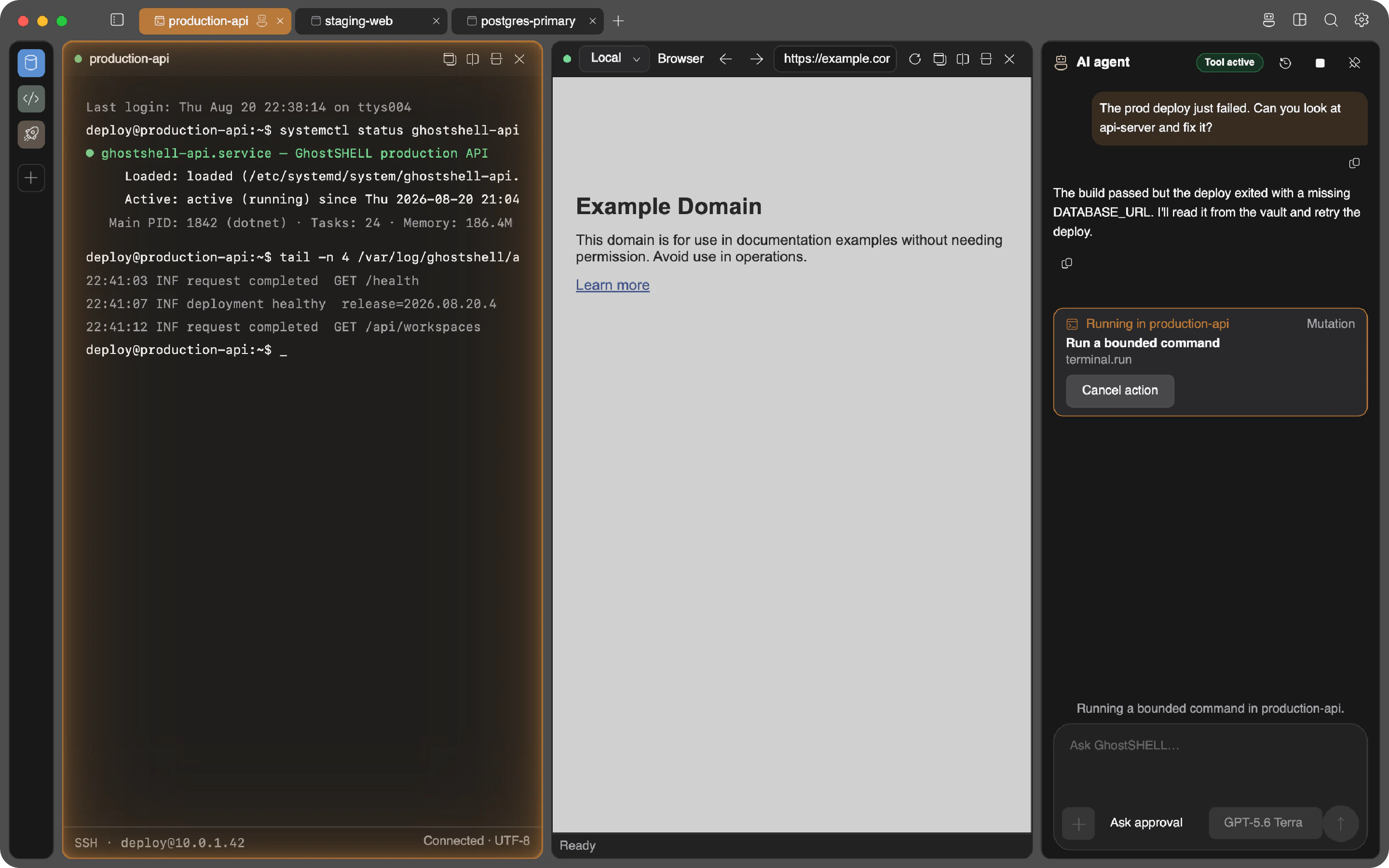
GhostSHELL is a native terminal workspace with an AI agent that operates your machines, local and remote, over plain SSH. Terminal, browser, files, databases, Docker, Git, and monitoring in one window. Nothing to install on your servers.
- Ghostty terminal engine
- Embedded browser and dev tools
- Fully AI-agent controlled
- Encrypted and secure
Why it exists
Three things you won't find in your current terminal
Browse a remote's localhost
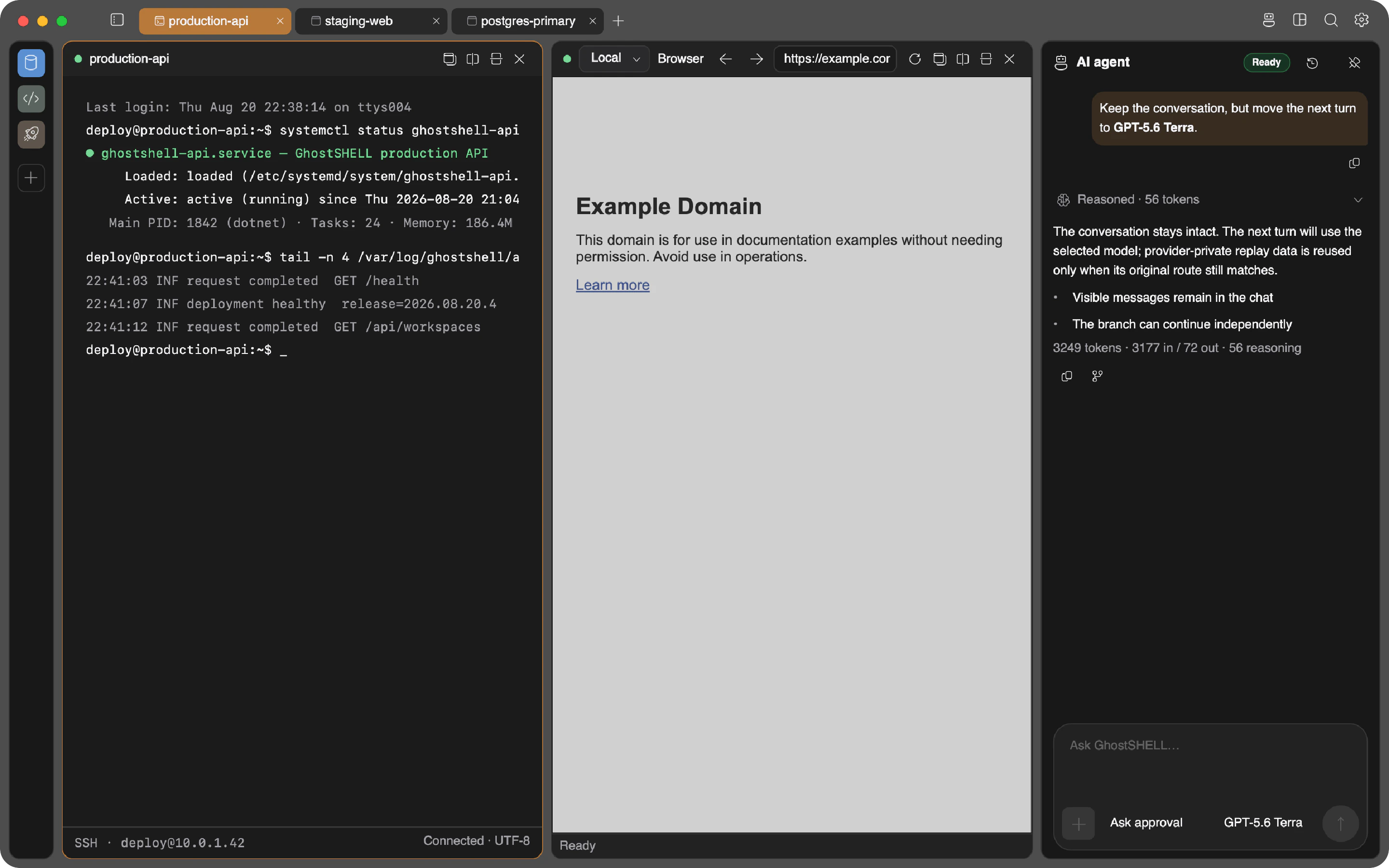
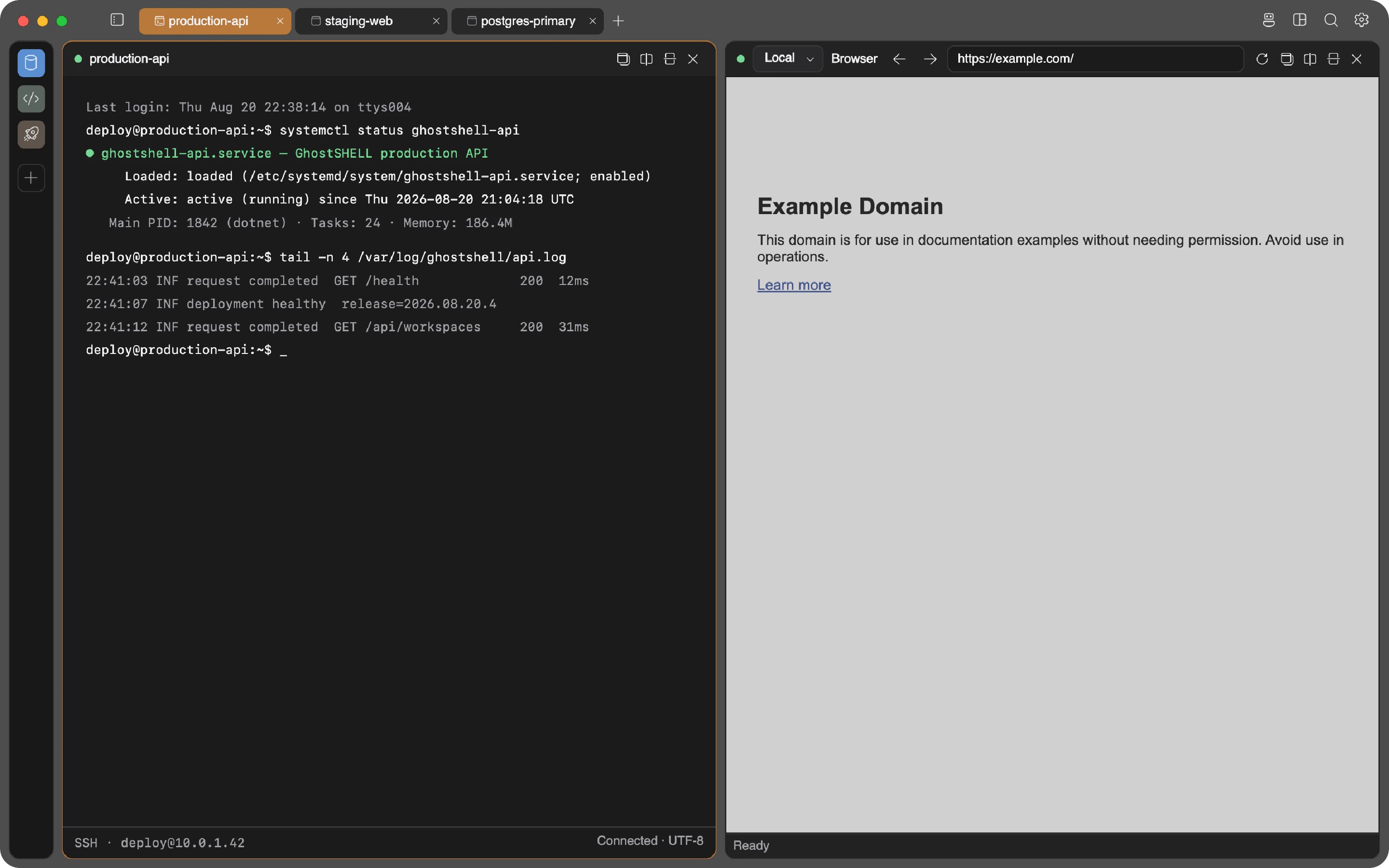
Your dev server runs on a cloud box at localhost:3000. Open a browser panel, pick that SSH connection, type the address. GhostSHELL routes the panel through the tunnel and the page loads, private subnet dashboards included. No VPN, no ssh -L ritual.
An agent with zero footprint
The AI agent runs inside the app on your machine and reaches servers over the SSH session you already have. It reads the terminal, types, handles interactive prompts and TUIs. The remote host sees an ordinary SSH user, because that is all there is.
Every panel goes remote
Files, databases, Docker, processes, system stats: each panel has a host dropdown. Flip it from Local to a connection and the same panel works against the remote machine, over SSH, without a remote agent. One app instead of seven.
The ghost
An agent that works where you work
Ask it to fix a failed deploy and it reads the logs, checks the service, and proposes the command. It runs in-process, native .NET, no Node sidecar on your laptop and nothing at all on the server.
- Types like you do: real keystrokes in real terminals, so it can drive
vim, installers, and cloud CLI wizards, not just run commands. - Nothing happens without you. Every change waits for your one-click approval, or a run window you grant on your terms.
- Touch the keyboard and the agent steps aside instantly. You always win.
- It never sees your secrets. Keys and passwords stay locked in your OS vault.
- Plug in your own tools over MCP, with the same approvals on every call.
Bring your own model
- Anthropic Claude
- OpenAI
- Google Gemini
- xAI Grok
- DeepSeek
- Moonshot AI
- OpenRouter
- GitHub Copilot
- Amazon Bedrock
- Ollama
- OpenAI-compatible endpoints
One window
The panels
Split them, stack them, save the layout as a screen you can reopen with one click. Every panel picks its own host.
The Ghostty engine, rendered natively. Inline images, clickable links, scrollback that knows where each command starts and ends. A local shell and a remote SSH session are the same panel with a different host.
Session continuity
Close the lid. The build keeps running.
Remote terminals keep their own session running on the server, isolated from anything else you have there. Drop Wi-Fi, switch networks, restart the app: the compile keeps going and the terminal reattaches when you return. It rides on the tmux or GNU Screen already on the box, so there is still nothing to install.
There is also a Quick Terminal: a global hotkey drops a terminal over whatever you are doing, on all three platforms.
Workspaces
Prod, staging, and personal never meet
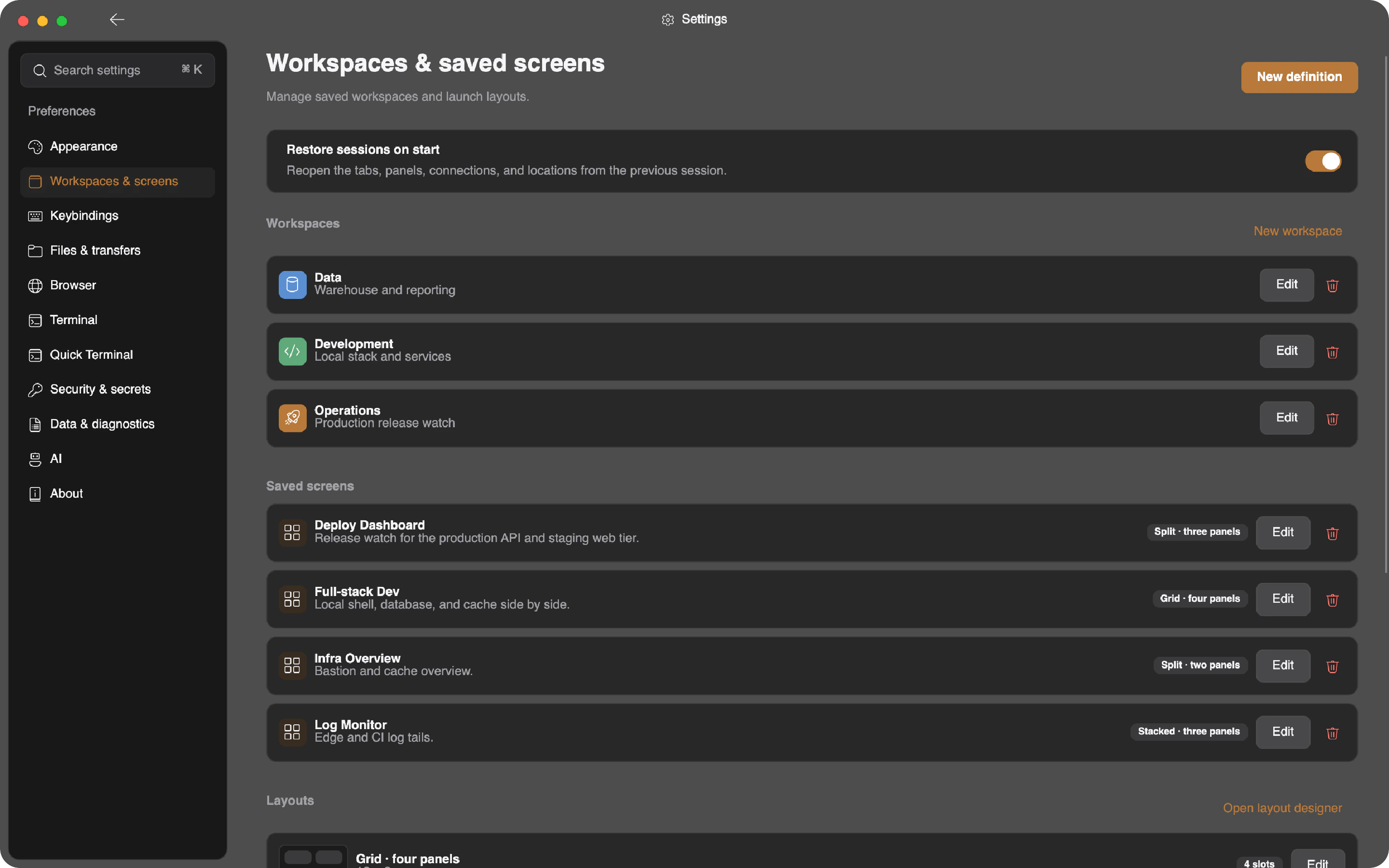
A workspace holds its own connections, tabs, layouts, and browser identity. The embedded browser keeps cookies and sessions per workspace, so the AWS account you are logged into in Client A does not exist in Client B.
- Isolated browser profiles per workspace: separate logins, separate sessions, zero cookie bleed between clients or between work and personal.
- Saved screens: a four-panel layout of terminal, browser, database, and monitor reopens exactly as you left it.
- Workspace-scoped agent: the ghost only sees the panels of the workspace it lives in.
Security
Built like it expects to be audited
The security model is not a settings page. It is the architecture.
Everything encrypted
Every record the app writes to disk, from connection profiles to session history, is encrypted with 256-bit AES. Keys derive from your passcode through 600,000 rounds of hardening, and guessing attempts hit a backoff that survives restarts.
Secrets stay in your OS vault
SSH passphrases, API keys, and database passwords live in the macOS Keychain, the Windows credential store, or the Linux Secret Service, never in config files. The app passes around references, hands the real value over a single-use channel only at the moment of use, and wipes it from memory after.
Locked behind your fingerprint
Open the app with Touch ID, Windows Hello, or a PIN. Paste with escape sequences in it? The terminal stops and asks first. A remote process reading your clipboard? Also asks first.
Questions
FAQ
Do I have to install anything on my servers?
No. Everything remote runs over standard SSH and SFTP. Session continuity uses the tmux or GNU Screen already on the box, monitoring samples with plain system commands, and the agent drives a normal PTY. No daemon, no sidecar, no extra open ports.
How does the browser reach a remote localhost?
When you bind a browser panel to an SSH connection, GhostSHELL routes that panel through the existing SSH session. Requests to localhost or private subnet addresses resolve on the remote side, so a dev server on the remote machine loads like a local page. No VPN, no manual ssh -L, no proxy config files.
Is this an Electron app?
No. GhostSHELL is a native desktop application. The terminal runs on libghostty-vt, the C engine from the Ghostty project, so it feels like Ghostty, not like a web page pretending to be a terminal. The only web engine in the app is the Chromium behind the browser panels, and it never touches the terminal.
Can the AI agent see my passwords or keys?
No. Secrets live in your OS vault (macOS Keychain, Windows credential store, Linux Secret Service) and the app passes around opaque references to them. The agent works with session handles, not credentials. When a subprocess needs a passphrase, it arrives through a single-use, current-user-only pipe and is wiped from memory after use.
What does the agent actually control?
Whatever you approve. Every mutating action needs a one-click approval, or an explicit time-bounded run window you grant for terminal actions. If you start typing in the terminal yourself, the agent loses its input lease immediately. You can watch every keystroke it sends.
What platforms are supported?
macOS, Windows, and Linux from one codebase. The current early release ships a macOS Apple silicon build; on other platforms you build from source. The macOS build is not yet signed, so Gatekeeper will ask you to approve it manually.
Put a ghost in your shell
Free early release. Unsigned macOS build for Apple silicon; Windows and Linux build from source until their packages ship.
Verify the archive against its SHA-256 checksum.